
Exploring the Best Calendar Scheduling Tools for Efficient Time Management

Introduction
Navigating the world of calendar scheduling tools can feel like wandering through a maze of options, each promising to streamline your time management and enhance productivity. In today’s fast-paced environment, where every minute counts, the right tool can transform chaotic schedules into organized workflows, making it essential to identify features that genuinely cater to individual needs. From user-friendly interfaces to powerful integration capabilities, the landscape is rich with choices designed for everyone—from busy professionals and small business owners to students and large organizations.
This article dives into the key features of effective calendar scheduling tools, highlights top contenders like Google Calendar, Calendly, and Acuity Scheduling, and provides insights on how to select the perfect solution tailored to specific requirements. Embracing the right scheduling tool can not only simplify appointment management but also pave the way for improved productivity and collaboration.
Key Features of Effective Calendar Scheduling Tools
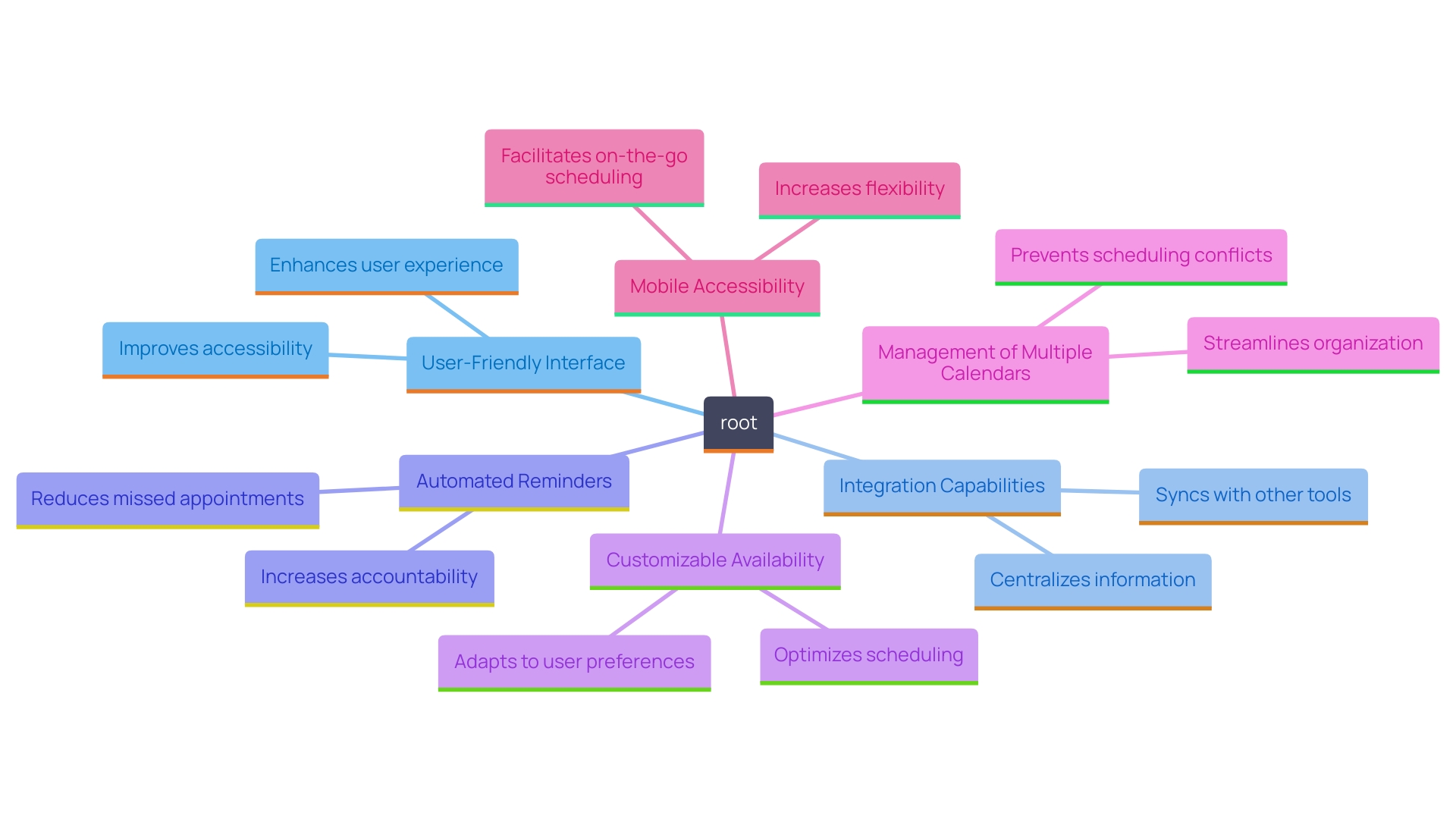
Choosing the appropriate can significantly improve your productivity and simplify your meeting management. When evaluating options, it’s crucial to prioritize features that will genuinely make a difference in your daily operations.
A user-friendly interface is essential; it ensures that you and your clients can navigate the tool with ease. Intuitive navigation aids in minimizing the learning curve, enabling you to concentrate on what really counts—your tasks and schedules. Integration capabilities are another must-have. The ability to sync with other applications means you can consolidate your workflow, making it easier to manage everything in one place.
Automated reminders can prove invaluable in keeping you and your clients on track. Think about how much time and energy you can save by not having to send manual follow-ups. Customizable availability settings enable you to specify when you’re available for meetings, which is a game changer for balancing multiple commitments.
Managing multiple calendars is also a significant advantage. Whether you’re coordinating personal and professional engagements or juggling various projects, having a resource that can manage multiple calendars simplifies your planning process.
Moreover, mobile accessibility ensures that you stay connected, no matter where you are. Real-time updates mean that changes to your schedule are instantly reflected, keeping everyone informed and reducing the risk of miscommunication.
As Evgeny Viner from 3Bookers highlights, “Our vision was to make a positive impact on the lives of busy professionals around the world, simplifying the way they manage their time and appointments.” This vision supports the characteristics that contemporary planning applications provide today, crafted to meet the requirements of diverse users, from busy professionals to students. With numerous choices on hand, investing in a reliable calendar management application can greatly improve how you handle your time.
Top Calendar Scheduling Tools for Efficient Time Management
Many calendar planning resources are accessible today, each created to accommodate a variety of requirements and tastes. Selecting the appropriate instrument can greatly improve your efficiency and conserve precious time. ‘The landscape of calendar organization is diverse, catering to everyone from NGOs and multinational enterprises to small businesses, digital nomads, and casual users.’. With so many options, finding the perfect fit can sometimes feel overwhelming.
Let’s take a closer look at two in this space: Cal.com and Acuity Scheduling. This comparison aims to clarify what each resource provides, helping you determine which one aligns best with your specific requirements.
In today’s busy environment, effective time management is more crucial than ever. According to WorkFront, 58% of American workers report being so inundated with daily tasks that they struggle to focus on anything beyond their immediate to-do list. Moreover, the average employee is productive for only about 2 hours and 53 minutes during a typical workday. This highlights the importance of having a well-organized calendar to streamline tasks and prioritize what truly matters.
As we investigate these scheduling solutions, remember that the appropriate resource can change not only how you organize your calendar, but also how you tackle your overall productivity.

Google Calendar: Integration and Versatility
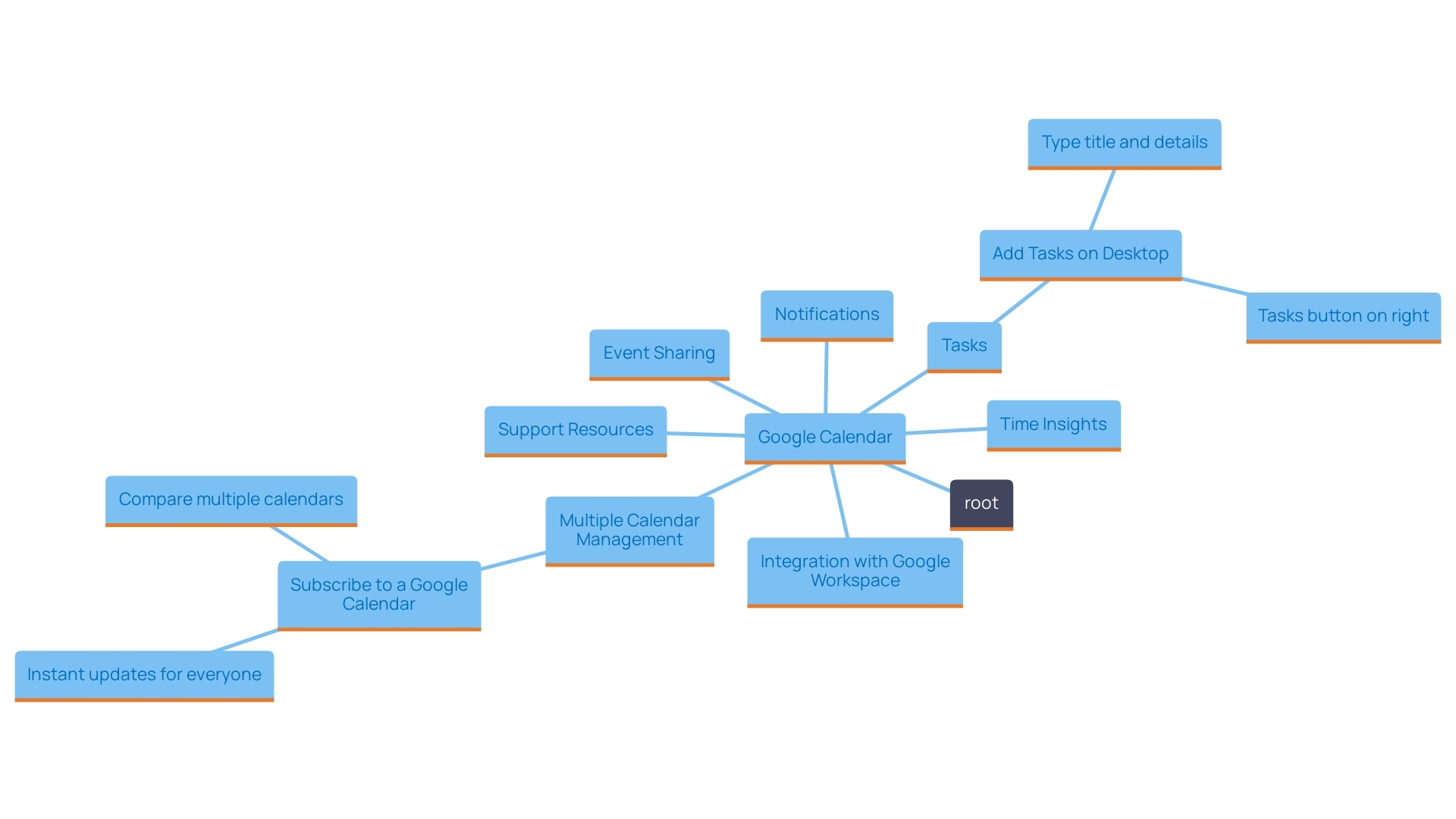
Google Calendar stands out as a powerful resource, seamlessly integrating with a variety of applications, making it an essential choice for both individuals and teams. One of its standout features is the ability to create and manage multiple calendars, which enhances organization and flexibility. Users can easily and updates, ensuring that everyone stays informed. Notifications keep you on top of your schedule, minimizing the risk of missed appointments.
The integration with Google Workspace amplifies its utility, fostering collaboration among team members. This unified approach has proven beneficial for organizations like Trimble, which migrated its entire workforce to Google Workspace in 2017. This transition has not only streamlined communication but has also become the cornerstone for onboarding new employees and fostering teamwork across 40 countries. With the ability to support over 200,000 conversations daily, Google Chat, a part of Workspace, has evolved into a vital communication tool, reflecting how Google Calendar fits into a larger ecosystem of productivity.
Among the various features, Time Insights stands out by analyzing your schedule to provide valuable insights on how your time is spent and with whom. This feature also allows individuals to share their availability through a personalized booking page, making it easy for clients and stakeholders to schedule meetings. Replying to meeting invitations has never been easier, as individuals can specify their particular working locations through location-specific RSVPs.
Moreover, Google Calendar provides extensive assistance for individuals, with a wealth of tips and step-by-step guides available for both newcomers and experienced individuals. Access to Google experts ensures that any questions or issues can be resolved promptly, enhancing the overall experience. The ability to subscribe to multiple calendars allows users to receive instant updates, facilitating better planning and commitment management. This capability makes Google Calendar not just a planning tool, but a comprehensive solution for effective time management.
Calendly: Automation and Flexibility
Calendly streamlines the meeting arrangement process by automating essential tasks that frequently hinder busy professionals. Users can effortlessly set their availability, allowing clients to book appointments directly based on those parameters. This not only eliminates the frustrating back-and-forth communication usually associated with arranging, but also enhances overall efficiency.
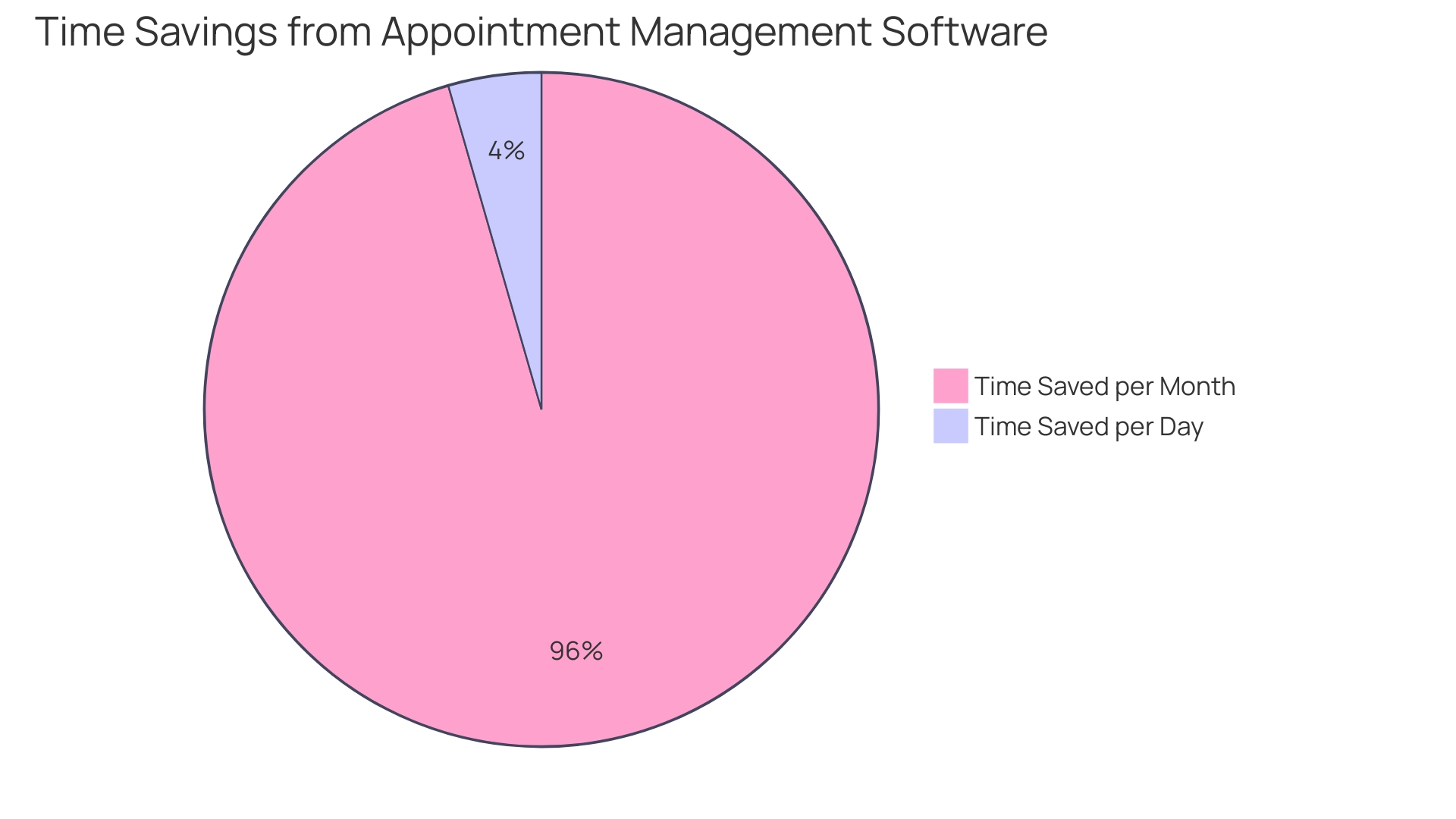
‘Appointment management software, like Calendly, is crucial for small businesses looking to streamline operations and enhance customer experiences.’. ‘According to Small Business Trends, automated planning resources can dramatically reduce manual input mistakes, allowing teams to concentrate more on their primary activities rather than administrative responsibilities.’. By automating the , businesses can save valuable time—some individuals report an average savings of around 14 minutes per day, which accumulates to nearly five hours each month.
Additionally, the environment of calendar management solutions is varied, with choices serving different requirements—from NGOs to business arrangements and even informal users. This vast array ensures that every professional can find a solution tailored to their specific requirements. For instance, Cal.com offers an open-source platform that encourages collaboration among developers, providing a unique alternative to Calendly for those seeking customization and flexibility. As the market changes, resources like these are becoming essential for organizing schedules effectively, ultimately resulting in enhanced productivity and customer contentment.
Acuity Scheduling: Complex Scheduling Needs
Acuity Scheduling is an excellent option for businesses that encounter . This powerful tool enables users to present a variety of scheduling types, manage payments seamlessly, and send customized reminders to clients. It’s especially beneficial for service-oriented sectors, such as therapy practices or consulting firms, which frequently need a more customized planning solution.
For instance, appointment management software like Acuity can significantly enhance operational efficiency by automating the booking process. This not only reduces the time spent on manual scheduling but also minimizes the potential for errors, allowing businesses to focus on what they do best—serving their clients. According to recent insights from Small Business Trends, such software can streamline operations and significantly enhance customer experience, making it an essential resource for small businesses.
Furthermore, with an accessible interface, Acuity assists businesses in organizing their schedules efficiently, guaranteeing that customer expectations are fulfilled swiftly. In a world where 80% of customers feel that the overall experience is equally important as the products or services provided, having a dependable planning tool is crucial in nurturing positive client relationships.
Overall, Acuity Scheduling stands out as a robust option for those who need a flexible and comprehensive appointment management system.

Doodle: Seamless Scheduling and Integration
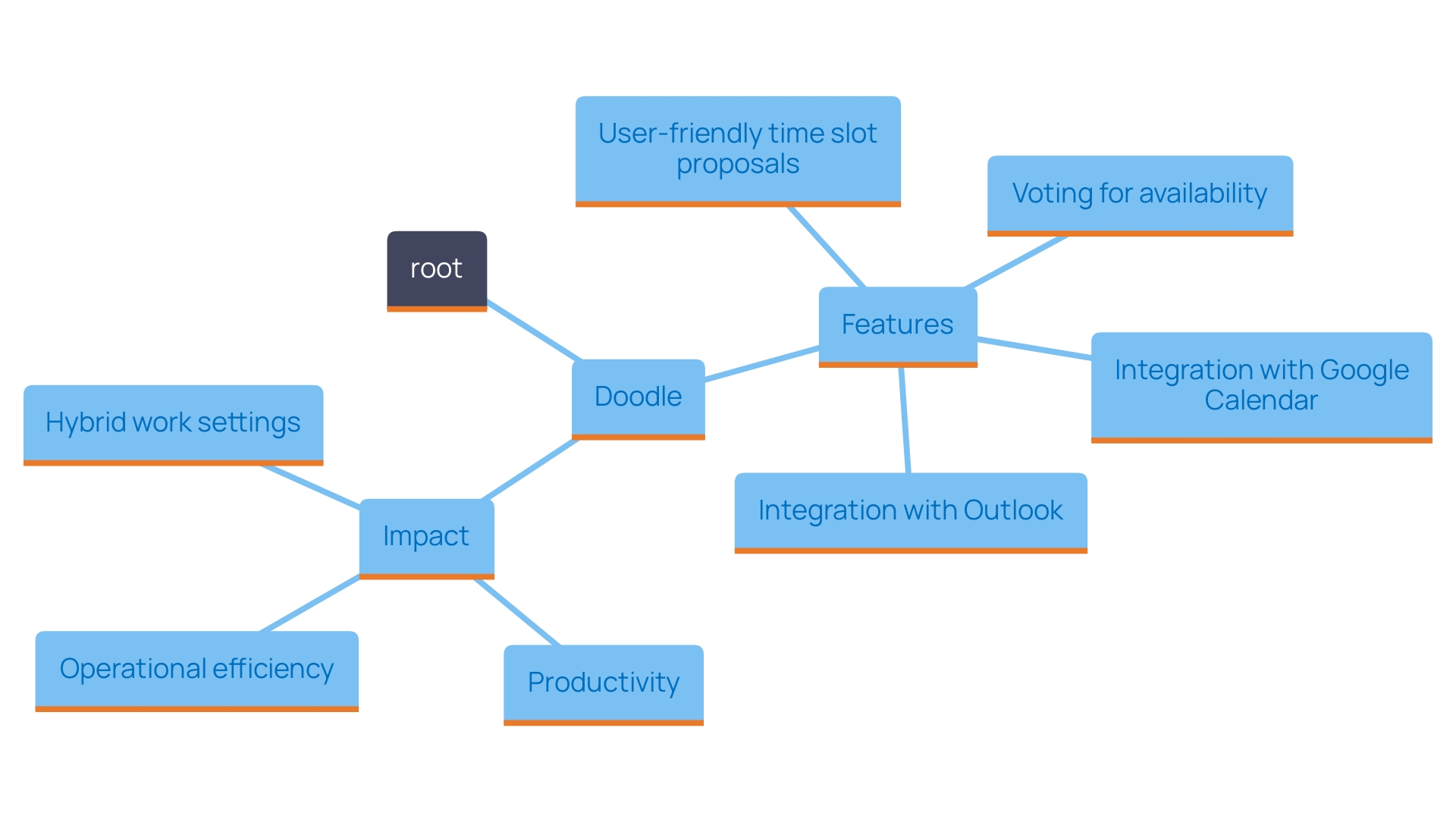
Doodle provides a user-friendly method for arranging meetings that involve multiple participants, simplifying the often cumbersome process of finding a suitable time for everyone. With the ability to propose various time slots, attendees can easily vote on their availability, making . This feature is particularly beneficial in today’s diverse work environment, where team members may be spread across different time zones or have varying schedules.
Moreover, Doodle seamlessly integrates with popular calendar platforms like Google Calendar and Outlook. This integration not only keeps your schedule organized but also eliminates the hassle of manually syncing events across different applications. By utilizing Doodle, users can enhance their productivity and ensure that they are making the most of their time.
In a world where effective communication and collaboration are essential, applications like Doodle can significantly reduce planning conflicts. As businesses keep adjusting to hybrid work arrangements, possessing a dependable planning resource is crucial. With Doodle, organizations can maintain a high level of coordination, thereby enhancing overall operational efficiency.
Teamup Calendar: Scalable Solutions for Teams
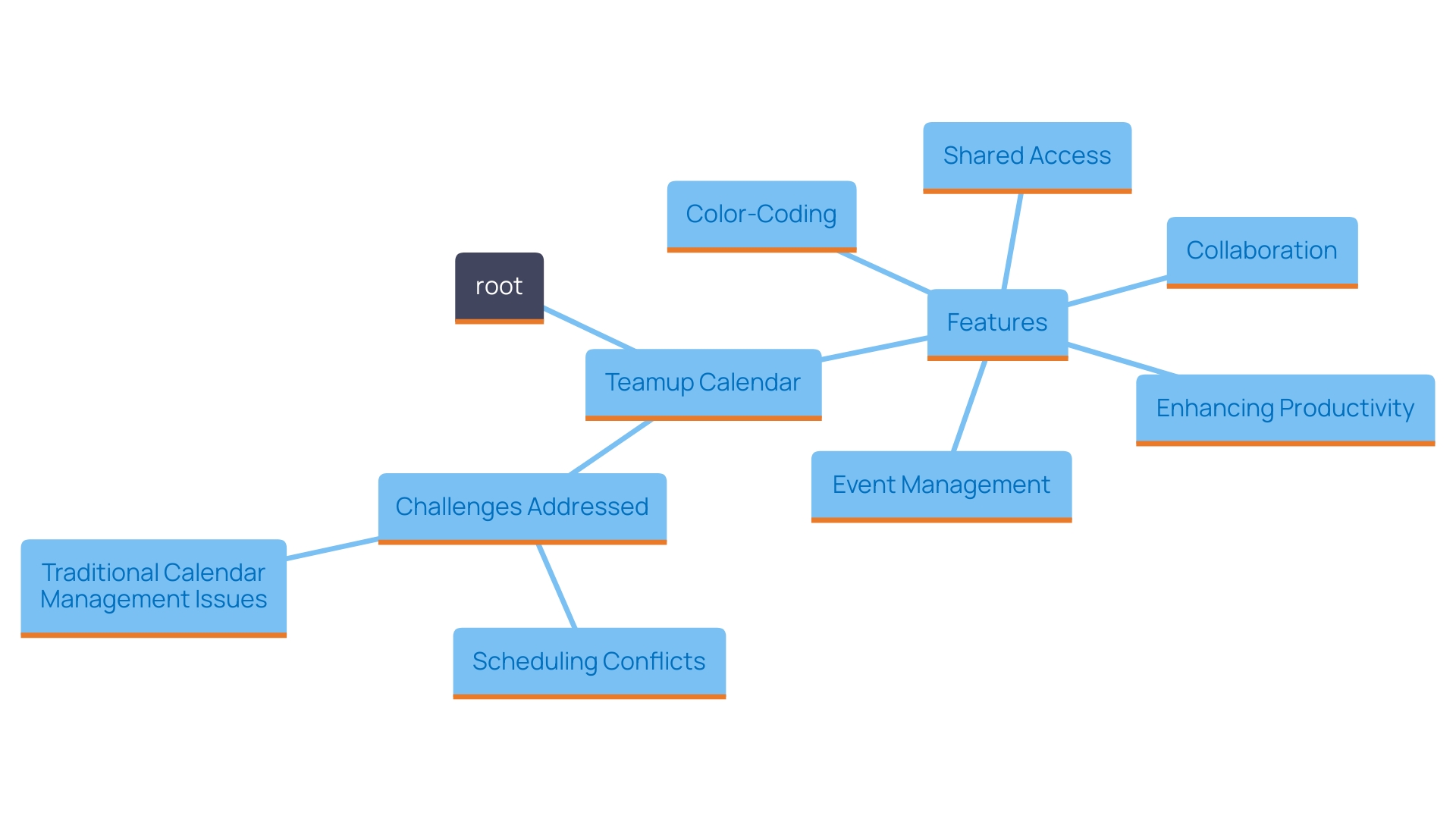
Teamup Calendar stands out as an exceptional tool for teams aiming to streamline their shared scheduling efforts. Created for teamwork settings, this platform enables several individuals to access and modify the calendar, making coordination of group activities effortless. One of its standout features is the color-coding system, which helps users easily distinguish between various projects or team members. This visual enhancement not only boosts visibility but also significantly improves organizational efficiency.
In a world where hectic routines can result in confusion and overlap, possessing a dependable planning resource is invaluable. Traditional methods of often involve tedious cross-referencing of paper agendas and back-and-forth emails, which can be time-consuming and frustrating. Teamup Calendar simplifies this process by offering a centralized digital solution that ensures everyone is on the same page.
Moreover, the application’s functionality supports a range of collaborative events, from all-hands meetings to brainstorming sessions. For instance, it can assess the availability of all team members, eliminating the common headache of overlapping meetings or scheduling conflicts. This means that whether you’re gathering interns or C-suite executives, Teamup Calendar facilitates full participation and engagement.
As remote work trends continue to rise, with reports indicating a 13.5% increase in meetings during the pandemic, tools like Teamup Calendar become even more crucial. By providing a structured and efficient way to manage appointments, it helps teams focus on what truly matters—productivity and collaboration. ‘With the right planning framework in place, teams can enhance their operational effectiveness and ensure that no important meeting is missed.’.
Fantastical: Deep Integration with Apple Devices
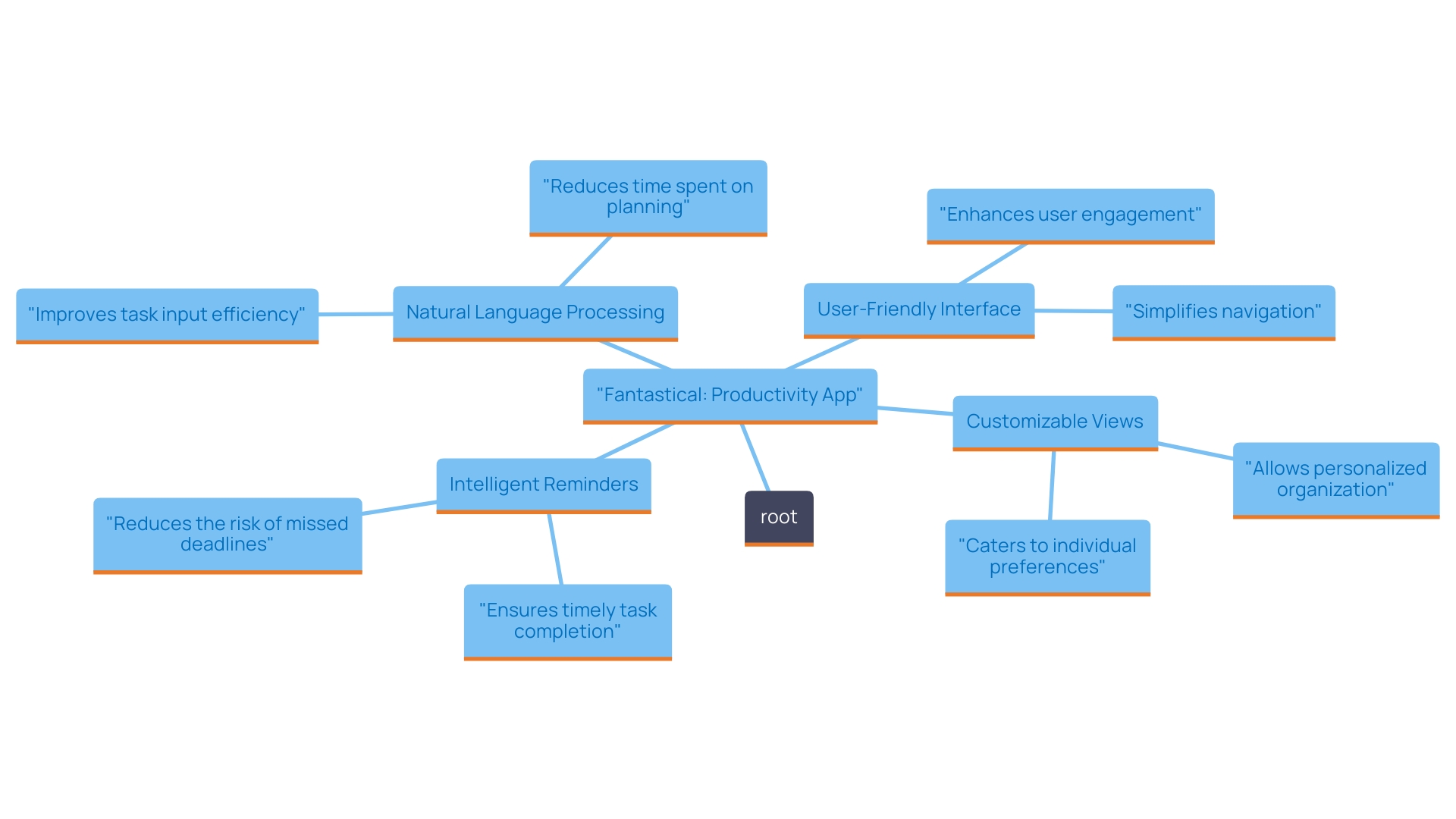
For Apple enthusiasts, Fantastical stands out as an exceptional productivity application that seamlessly integrates with your Apple devices. Its capability allows you to create events with remarkable speed and ease, simply by typing or speaking. This feature not only saves time but improves the experience, making planning feel less like a chore and more like a breeze.
The app’s interface is visually appealing and user-friendly, designed to keep you organized without overwhelming you. ‘With robust resources at your disposal, such as customizable views and intelligent reminders, Fantastical enables you to handle your appointments effectively.’. This makes it a perfect option for users who prioritize organized planning and effective time management.
Choosing the Right Tool for Your Needs
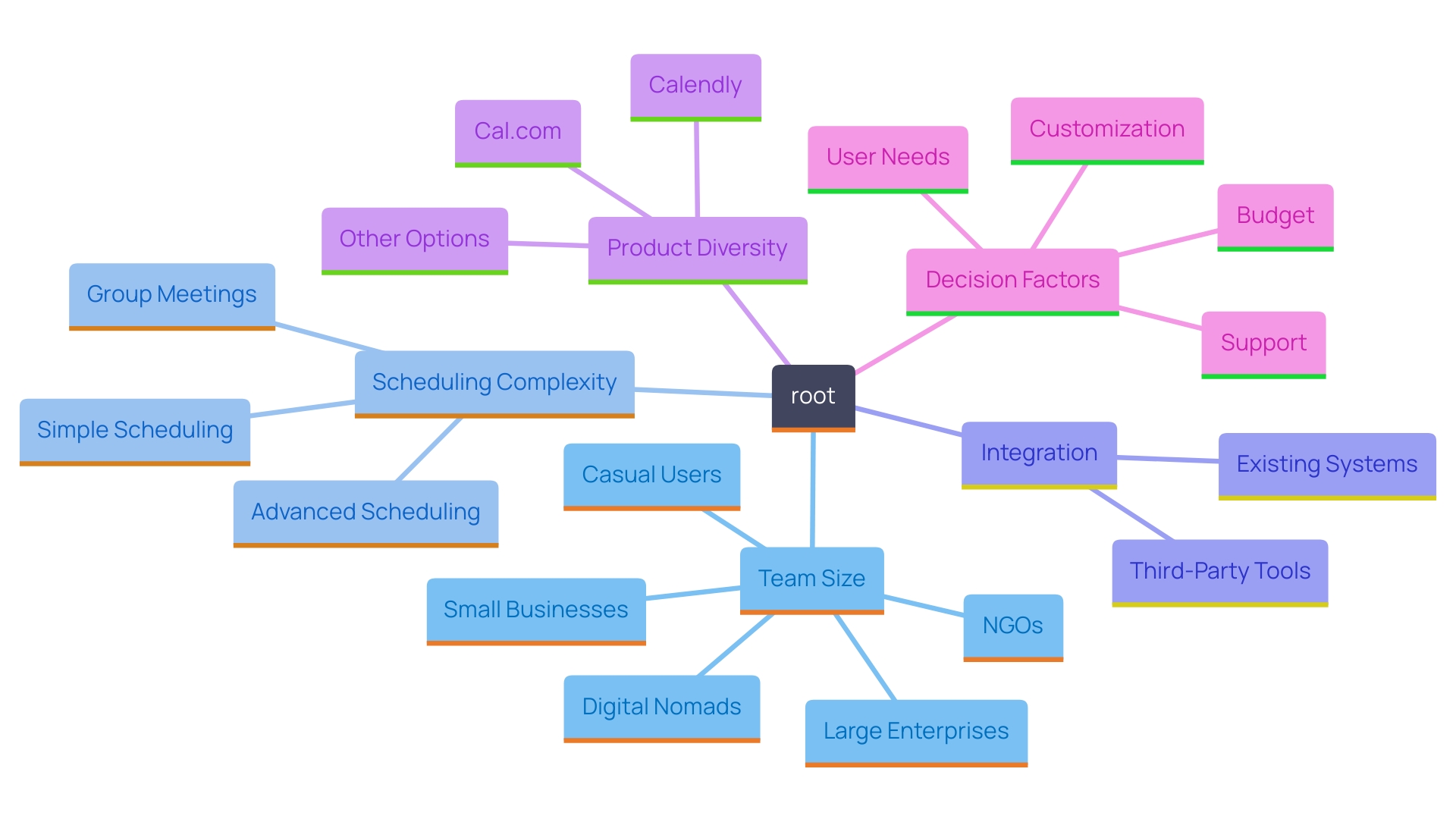
Selecting the appropriate is essential for enhancing your workflow and ensuring smooth collaboration. Start by evaluating your specific needs, such as team size and the intricacy of your scheduling requirements. For instance, products like Cal.com cater to a variety of users, from NGOs to freelancers, showcasing the diversity of options available. Its open-source nature allows for collaboration and innovation from a wide range of developers, which can be a significant advantage for teams seeking customized solutions.
Additionally, consider how well the instrument integrates with your existing systems. Whether you’re a digital nomad juggling multiple appointments or part of a larger enterprise, the right tool should enhance your productivity without adding complexity. With so many choices in the market, it’s understandable to feel overwhelmed. Utilizing free trials can provide valuable insights into which features resonate best with your team’s workflow. This hands-on approach allows you to make a more informed decision tailored to your unique operational structure.
Conclusion
Selecting the right calendar scheduling tool can revolutionize how time is managed, transforming chaotic schedules into streamlined workflows. Key features such as user-friendly interfaces, integration capabilities, and automated reminders are essential for enhancing efficiency and ensuring that appointments are managed effectively. Tools like Google Calendar and Calendly provide unique benefits, catering to various needs—whether it’s for individual users or larger organizations.
As explored, each scheduling tool offers distinct advantages tailored to different user requirements. Google Calendar excels in collaboration and integration, while Calendly automates the booking process, saving valuable time. For those with complex scheduling needs, Acuity Scheduling stands out, and Doodle simplifies group scheduling.
Teamup Calendar enhances team collaboration, while Fantastical provides a seamless experience for Apple users.
Ultimately, the right scheduling tool can significantly boost productivity and enhance the overall experience of managing appointments. By carefully evaluating specific needs and utilizing available features, individuals and teams can find a solution that not only simplifies scheduling but also fosters improved collaboration and efficiency. Embracing the right tool is a step toward mastering time management in today’s fast-paced environment.
Frequently Asked Questions
Why is selecting the right calendar scheduling resource important?
Choosing the appropriate calendar scheduling resource can significantly enhance productivity and simplify meeting management, allowing you to focus on your essential tasks and schedules.
What features should I prioritize when evaluating calendar scheduling tools?
Key features to consider include a user-friendly interface, integration capabilities with other applications, automated reminders, customizable availability settings, and the ability to manage multiple calendars.
How does a user-friendly interface benefit me?
A user-friendly interface ensures easy navigation for you and your clients, minimizing the learning curve and allowing you to concentrate on your core responsibilities.
What are integration capabilities, and why are they important?
Integration capabilities allow the scheduling tool to sync with other applications, helping consolidate your workflow and manage everything in one place for better efficiency.
How can automated reminders help me?
Automated reminders keep you and your clients on track, saving time and energy by eliminating the need for manual follow-ups.
What are customizable availability settings?
Customizable availability settings let you specify when you are available for meetings, helping you balance multiple commitments more effectively.
Why is managing multiple calendars advantageous?
Managing multiple calendars simplifies planning, especially if you’re coordinating personal and professional engagements or juggling various projects.
How does mobile accessibility contribute to my productivity?
Mobile accessibility allows you to stay connected and updated on your schedule from anywhere, reducing the risk of miscommunication due to real-time updates.
What does Evgeny Viner’s quote about calendar tools signify?
Evgeny Viner emphasizes that contemporary planning applications are designed to positively impact busy professionals by simplifying time and appointment management.
What types of users benefit from calendar scheduling resources?
Calendar scheduling tools cater to a diverse range of users, including busy professionals, students, NGOs, and small to multinational enterprises.
How does using a calendar scheduling tool impact overall productivity?
An effective calendar management tool can streamline tasks, prioritize important activities, and ultimately enhance overall productivity in a busy environment.
Are there various types of calendar scheduling tools available?
Yes, options range from simple tools for casual users to complex systems designed for businesses with specific appointment management needs, ensuring a fit for every type of user.
How can I choose the right calendar scheduling tool for my needs?
Start by evaluating your specific needs, such as team size and scheduling complexity. Consider integration with existing systems, and utilize free trials to understand which features best match your workflow.
